
Capture without the clutter
Take a photo or choose receipt images and PDFs. Work through a single receipt or several at once.
A little more organised
Turn a pocketful of receipts into a record you can actually use. Capture, review and organise your expenses, with your receipt library right on your device.
For Android · See Google Play for current pricing and availability.
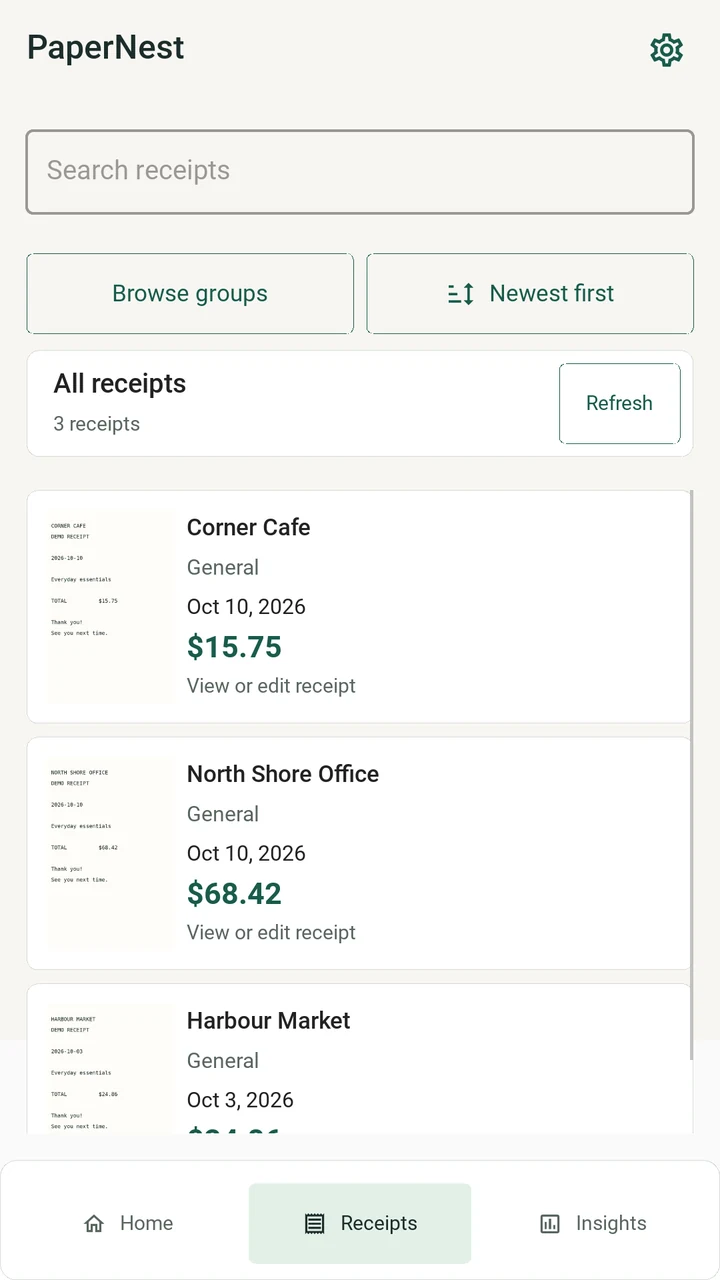
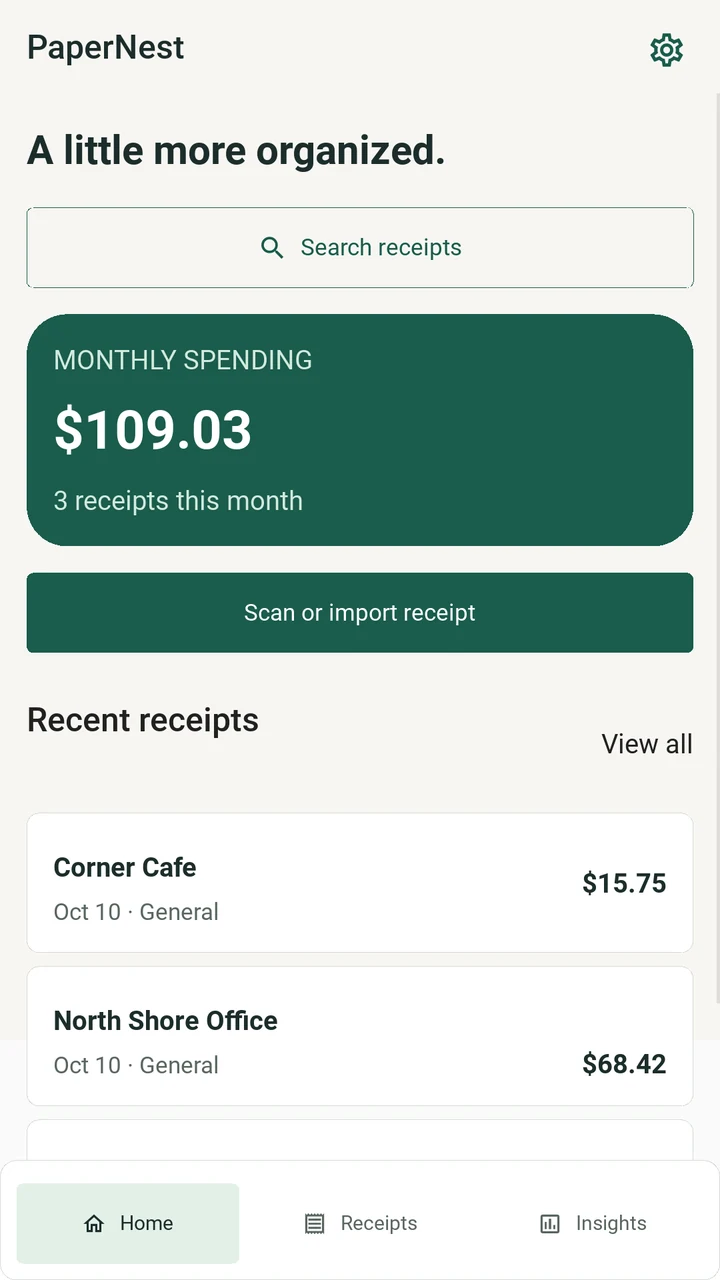
Thoughtfully put together
For everyday spending, travel expenses and project paperwork. Keep the useful details together.
Take a photo or choose receipt images and PDFs. Work through a single receipt or several at once.
On-device text recognition suggests a merchant, date and total. Review and edit those suggestions before you save.
Organise receipts into groups, browse by year and month, and export a CSV report or a ZIP of receipt images.
Inside PaperNest
A straightforward workflow, with a chance to check every detail.
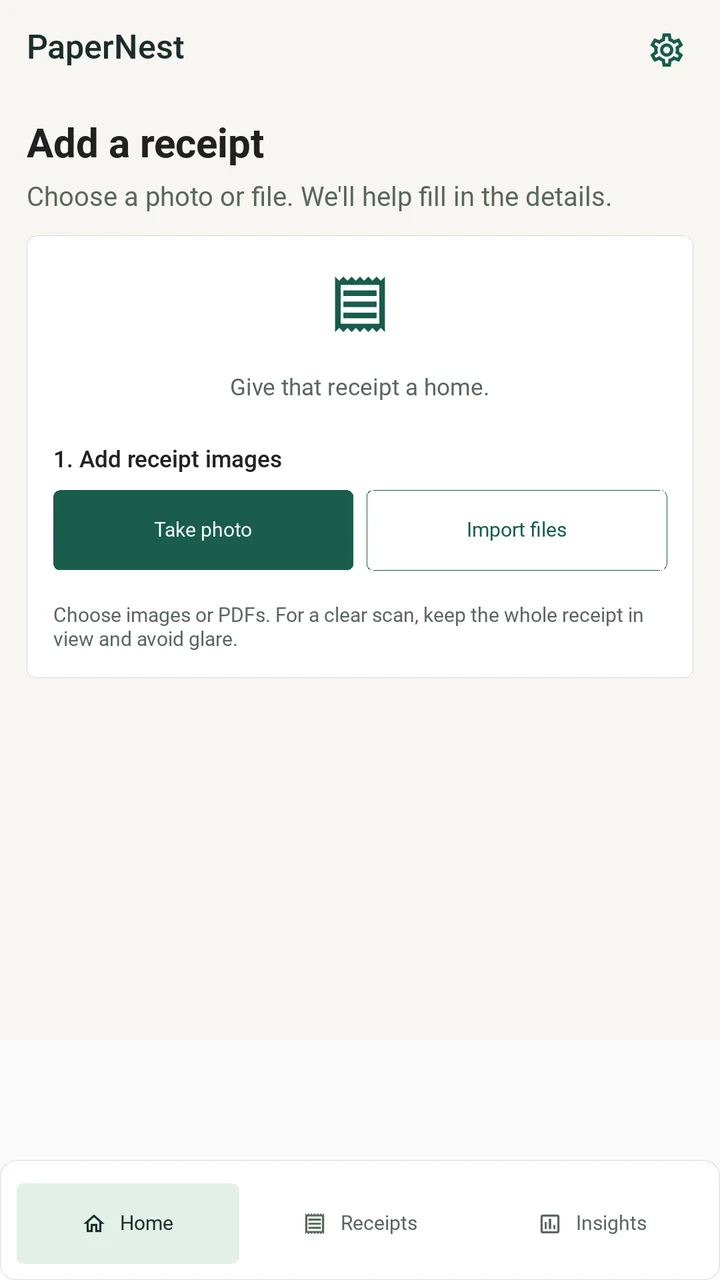
Photograph a receipt or choose an image or PDF from your device.
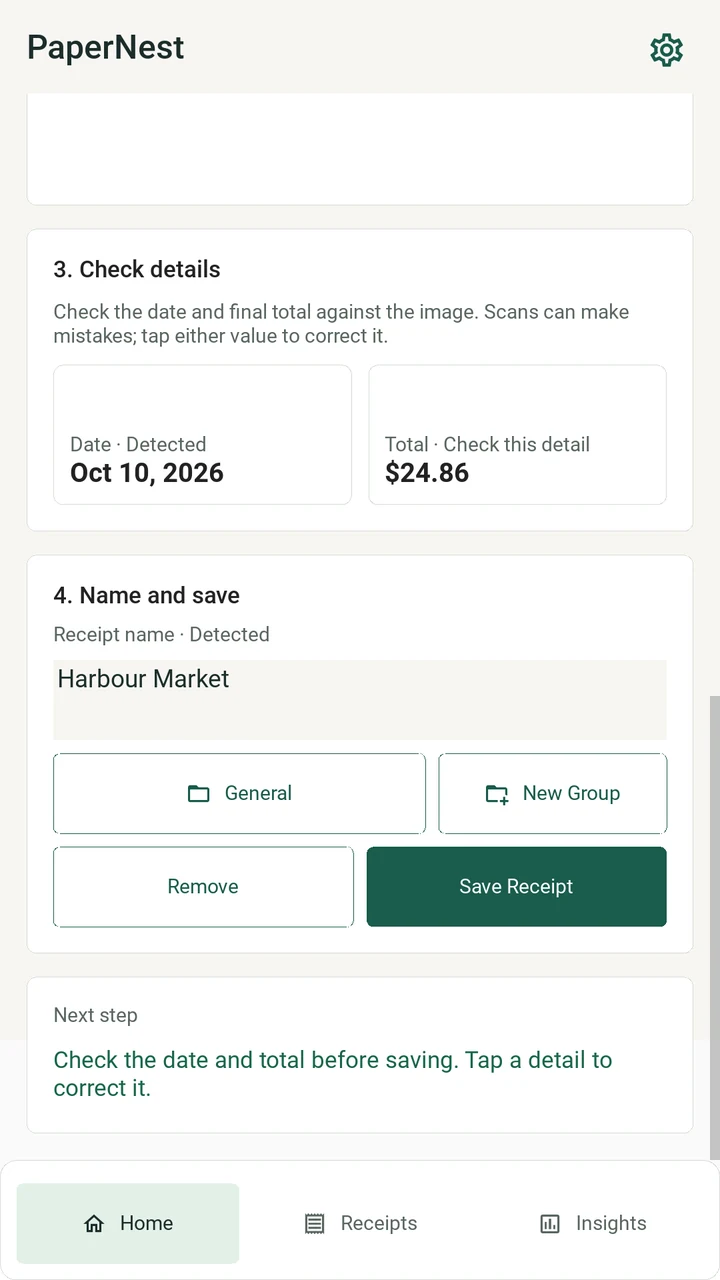
Review the suggested fields and make corrections before saving.
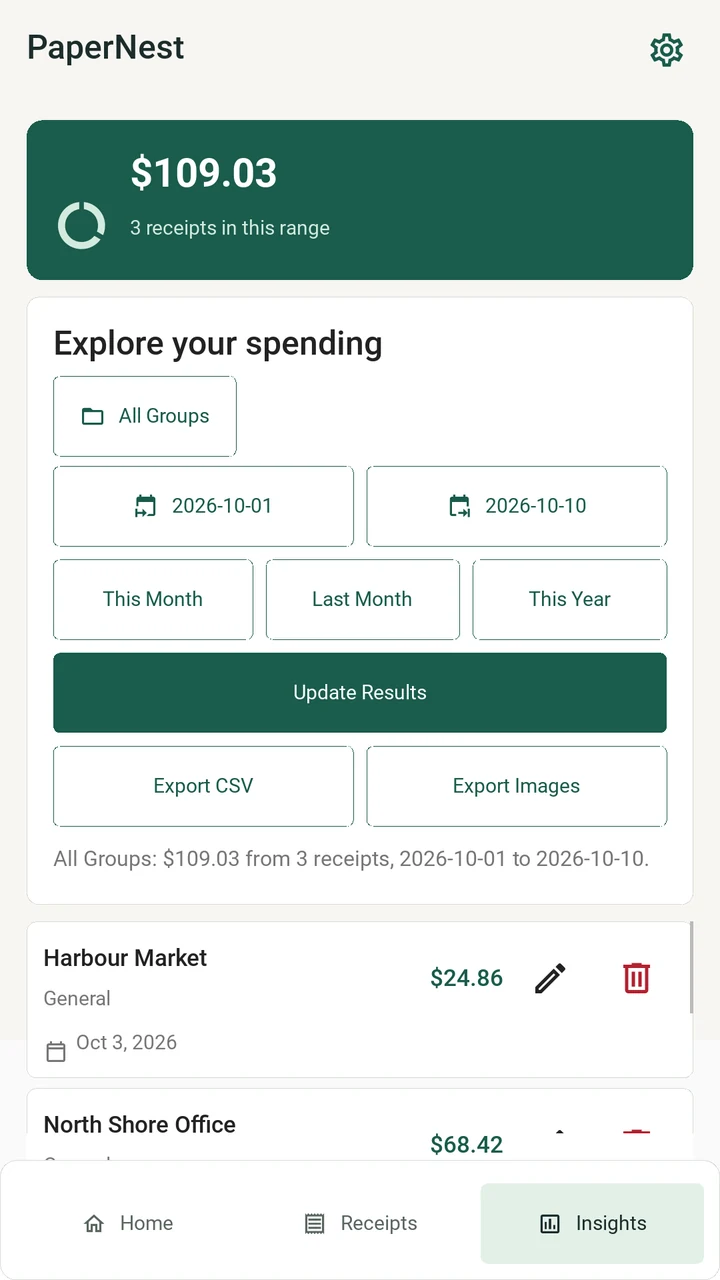
Filter by group and date, inspect the totals, and export your records.
Find your starting point
Use the camera or choose a file. Text recognition runs on your device.
Check the merchant, date and amount, then choose a group and save.
Review totals for a date range or export a report and receipt images.
A few useful details
Yes. Choose receipt images or PDFs from your device, or capture a new photo with the camera. You can work through multiple receipts.
Text recognition suggests details; it is not guaranteed to read every receipt correctly. You can review and edit the merchant, date, amount and other fields before saving.
Your receipt library and text recognition stay on your device. Receipt photos and extracted financial details are not sent to the developer. Google ML Kit may transmit limited SDK diagnostics.
Export a CSV report or an organised ZIP of receipt images. Choose an export destination and keep a separate copy of important records.
Get to know PaperNest on Google Play.